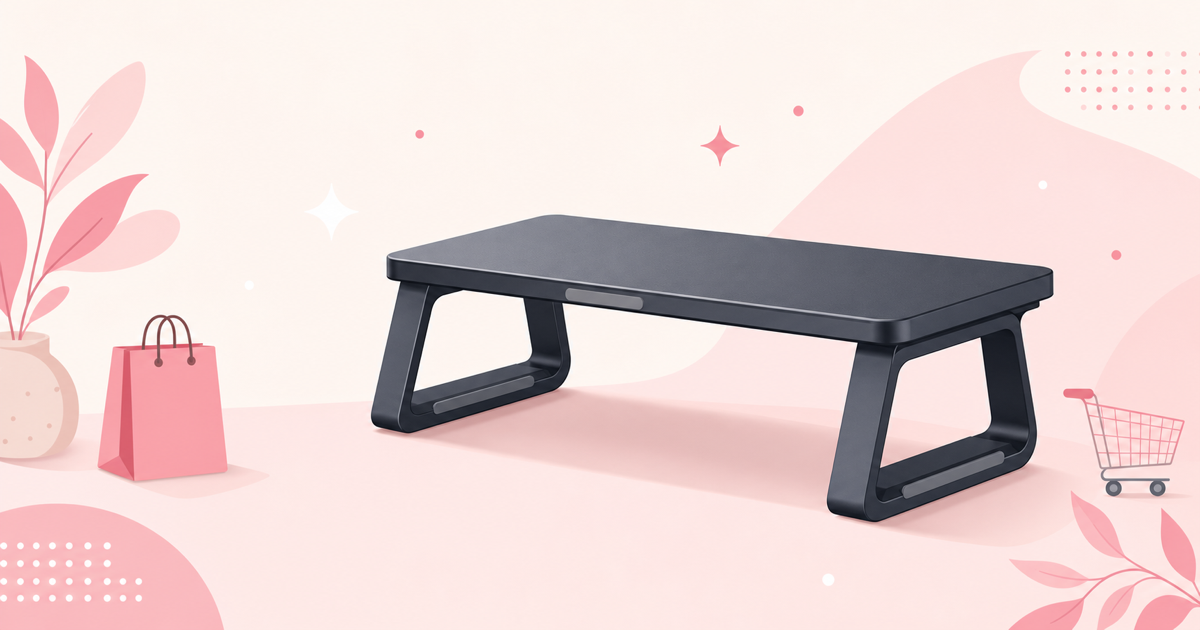
Does a Monitor Stand Really Ease Neck and Shoulder Strain?
Remote work has become the norm, and more people now spend most of their day in front of a display. Along with that shift, complaints like "my neck and shoulders tighten up by evening" or "I catch myself slouching" have become common.
In most cases, the culprit is monitor height. When the screen sits below eye level, your neck and shoulder muscles stay under constant tension just to support your head. A monitor stand raises the screen closer to eye level, addressing the root cause of that strain.
That said, not just any stand will do. Whether it's fixed or adjustable, how it uses the space under your desk, and how much monitor weight it can support — these factors completely change which product is right for you. This article breaks down the key criteria for choosing a stand, then compares seven distinct types of products in detail.
How to Choose a Monitor Stand|4 Criteria to Avoid Regret
1. Height Adjustment Type (Fixed, Stepped, or Continuous)
Monitor stands generally fall into three categories.
- Fixed: Simply place your monitor on a platform at a set height. Simple structure, high stability
- Stepped adjustment: Roughly change height using several notches or locking positions
- Continuous adjustment (arm-type): Hold any height or angle in place using gas springs or similar mechanisms
If your chair height or desk depth changes often, or if you share a desk with others, a continuously adjustable model suits you best. On the other hand, if you'll settle on one height and stick with it, a fixed or stepped model is plenty.
2. Weight Capacity and Compatible Monitor Size
Always check the "weight capacity" and "compatible size (inches)" listed in the spec sheet. If you're using a large monitor (27 inches or more) or a heavier type (curved, 4K-capable, etc.), choose a model with generous weight capacity headroom. Running a stand right at its rated limit can cause the arm to sag over time.
For dual-monitor setups, the weight-capacity math differs depending on whether a single arm supports both screens or whether the model is purpose-built for two monitors' combined weight.
3. Mounting Method (Clamp, Grommet, or Freestanding)
How the stand attaches to your desk is another key checkpoint.
- Clamp mount: Clamps onto the edge of the desk. No need to drill into the desktop
- Grommet mount: Bolted through a hole drilled in the desktop for greater stability
- Freestanding: Simply sits on top of the desk. No tools required, and rental-friendly
If your desktop thickness falls outside a product's supported range, it won't mount properly, so checking your desk's thickness before buying can save you a headache.
4. Material, Storage, and Extra Features
Steel models offer strong durability, while wood or bamboo models add visual warmth. If you want more storage under your monitor, look at models with built-in drawers; if you want to tidy up cables, a model with a built-in USB hub is worth considering. Narrowing your must-have features down to one or two makes comparison much easier.
Spec Comparison Table
| Product | Adjustment Type | Monitors Supported | Key Feature |
|---|---|---|---|
| Ergotron LX Desk Mount Monitor Arm | Continuous (gas spring) | Single | 360° angle adjustment |
| Sanwa Supply Monitor Stand with Drawer | Fixed | Single | Drawer storage |
| Green House Wooden Monitor Stand | Stepped (3 levels) | Single | Wood design |
| AmazonBasics Monitor Stand | Fixed | Single | Simple construction |
| Nordic-Style Bamboo Monitor Stand with USB Hub | Fixed | Single | Built-in USB hub |
| VIVO Dual Monitor Stand, Height Adjustable | Continuous (height adjustable) | Dual | Supports 2 screens at once |
| Sanwa Direct Wide Large Monitor Stand | Fixed | Single to multiple devices | Wide layout |
7 Recommended Monitor Stands
Ergotron LX Desk Mount Monitor Arm
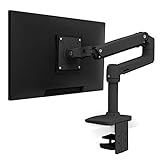
This monitor arm offers continuous height and angle adjustment via a gas spring mechanism. Since it moves freely up, down, left, and right, you can quickly re-align the screen whether you're sitting or standing. It supports a high weight capacity, making it suitable for large monitors too.
Pros
- Continuous adjustment lets you dial in the exact eye-level position
- Once set, the angle stays stable and resists drifting
- Weight capacity designed to handle large monitors
Cons
- Requires clamp or grommet mounting, so you'll need to check desk compatibility/modifications
- Tends to sit at a higher price point than fixed models
Best for: People who frequently adjust height and angle to match their posture or work style.🛒 Check the price →
Sanwa Supply Monitor Stand with Drawer
This steel stand includes a built-in drawer beneath the monitor platform. You can stash a keyboard, stationery, or notes inside, keeping clutter off your desk. Being a fixed-type stand, it's also easy to set up.
Pros
- The drawer reduces clutter on your desk surface
- Steel construction provides solid stability
- No tools needed — just set it up and start using it
Cons
- Fixed height means no fine-tuning for your body or chair
- Requires extra depth to accommodate the drawer
Best for: People who want to add storage space to their desk.🛒 Check the price →
Green House Wooden Monitor Stand
This monitor stand highlights a wood-grain finish and offers 3-level height adjustment. It blends naturally into a natural-toned desk setup, adding warmth to what can otherwise be a sterile-looking desk space.
Pros
- The wood finish blends nicely into interior decor
- 3-level adjustment allows for basic height tuning
- Lightweight, making it easy to set up and move
Cons
- Can't match the fine-grained adjustment of continuous models
- Weight capacity tends to run lower than steel alternatives
Best for: People who prioritize desk aesthetics and atmosphere over functionality.🛒 Check the price →
AmazonBasics Monitor Stand
With no unnecessary frills, this stand focuses purely on raising your monitor's height. Without extra features getting in the way, it fits easily into virtually any desk layout.
Pros
- Simple construction at an entry-level price point
- Generic look that fits into almost any desk
- Straightforward, hassle-free setup
Cons
- Little to no height adjustment or storage features
- May offer less support for large or heavy monitors compared to other models
Best for: People who just want an affordable way to raise their monitor's height.🛒 Check the price →
Nordic-Style Bamboo Monitor Stand with USB Hub
This model combines a natural, Nordic-style bamboo design with a built-in USB hub. You can connect your smartphone or other USB devices while working, cutting down on the cables and adapters cluttering your desk.
Pros
- Built-in USB hub helps consolidate desk cabling
- Bamboo material suits a Nordic-style desk aesthetic
- Attractive design made from a lower-impact material
Cons
- USB hub transfer speed and power delivery vary by product, so check it fits your needs
- Fixed height with no fine adjustment
Best for: People who want to tidy up desk cabling while also caring about design.🛒 Check the price →
VIVO Dual Monitor Stand, Height Adjustable
This height-adjustable stand can support two monitors at once. Designed for people who want to set up a side-by-side dual-monitor arrangement, its lift mechanism accommodates both sitting and standing positions.
Pros
- Supports both monitors in a dual-monitor setup with one unit
- Height-adjustable lift mechanism works for both sitting and standing
- Rigid design built to handle the combined weight of two monitors
Cons
- Features go underused in a single-monitor setup
- Requires more installation space than a single-monitor stand
Best for: Programmers, designers, and others who frequently work across two screens.🛒 Check the price →
Sanwa Direct Wide Large Monitor Stand
This large monitor stand offers generous width. It lets you place speakers, document trays, and other peripherals alongside your monitor, making it ideal for organizing your entire desk layout, not just the monitor itself.
Pros
- Wide surface lets you group peripherals together
- Fixed design provides solid stability
- Consolidates multiple devices onto a single platform
Cons
- Its width requires ample desk space to install comfortably
- Generally lacks height adjustment features
Best for: People who want to arrange multiple devices around their monitor.
Choosing by Use Case
- Just want an affordable way to raise your monitor: A simple fixed-type stand like the AmazonBasics Monitor Stand suits this best.
- Want more storage too: The Sanwa Supply Monitor Stand with Drawer is a strong candidate.
- Want to adjust frequently for posture or work style: A continuously adjustable model like the Ergotron LX Desk Mount Monitor Arm fits well.
- Often work across two screens: The VIVO Dual Monitor Stand, Height Adjustable is a good option.
- Care about desk aesthetics and interior style: The Green House Wooden Monitor Stand or Nordic-Style Bamboo Monitor Stand with USB Hub are good choices.
- Want to organize other devices alongside your monitor: The Sanwa Direct Wide Large Monitor Stand suits this need.
FAQ
Q. Should I choose a monitor stand or a monitor arm?
If you want a stable setup without much height variation, a platform-style stand works well; if you'll be adjusting height and angle often, an arm-type is better suited. An arm-type also makes it easier to free up space underneath the monitor if you want a more open desk.
Q. Is it okay to use a monitor right at the stand's maximum weight capacity?
It's technically usable within spec, but without headroom, the arm may sag over time. Where possible, choose a model with weight capacity headroom relative to your actual monitor's weight for peace of mind.
Q. If my desktop is thin, can I still use a clamp-type mount?
Each product has its own supported desktop thickness range. Measure your desktop's thickness before installing, and confirm it falls within the range listed in the product's spec sheet. If it's outside that range, a freestanding model is worth considering instead.
Q. How should I clean and maintain a monitor stand?
Steel or aluminum models just need a dry cloth wipe. Wood or bamboo models can warp or discolor from humidity and direct sunlight, so keep them out of direct sun and stick to dry wiping rather than water.
Q. Can I use a dual-monitor stand with just a single monitor?
It's possible to use it that way, but you'll often end up with unused weight capacity and installation space. For a single monitor, a stand designed specifically for that purpose will generally be easier to work with.
Conclusion
The first decisions to make when choosing a monitor stand are the height adjustment type and the compatible weight capacity/monitor count. From there, narrow down extra features like storage, material, and USB hubs based on your own desk setup to avoid picking the wrong product.
- Want to raise height affordably: AmazonBasics Monitor Stand
- Want storage too: Sanwa Supply Monitor Stand with Drawer
- Want fine-grained adjustment: Ergotron LX Desk Mount Monitor Arm
- Working with dual monitors: VIVO Dual Monitor Stand, Height Adjustable
Choose the one that fits your work style and desk setup, and start easing the daily strain on your posture.



![[2026 Latest] Fountain Pen Comparison Guide [2026 Edition]](/images/eyecatch/articles/fountain-pen-comparison-2026.png)
![[2026 Latest] Best Ballpoint Pens Compared: The Ultimate Ranking](/images/eyecatch/articles/ballpoint-pen-ranking-comparison.png)