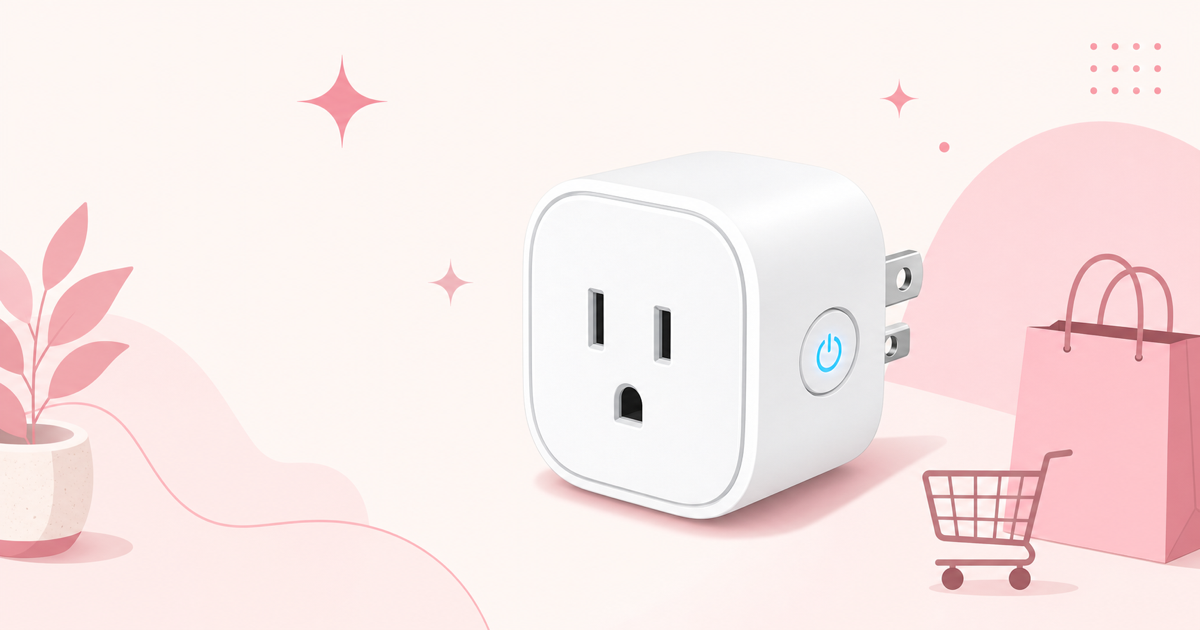

How to Choose a Smart Plug: 4 Key Criteria to Avoid Regret
"Aren't all smart plugs basically the same?" That assumption leads a lot of buyers to grab the cheapest model — only to find it doesn't work with the voice assistant they actually use. That's the single most common mistake when choosing a smart plug.
They may all look like the same small box on the outside, but the supported protocols, safety features, and app usability underneath can vary quite a bit. Here are four things worth checking before you buy.
1. Check Voice Assistant Compatibility
The first thing to confirm is whether the plug works with the smart speaker or phone you already use.
- Alexa only → Almost any Alexa-compatible model will work
- Want to use Google Home too → Choose a model that supports both
- Want direct control from iPhone or Apple Watch → Apple HomeKit support is a must (available on a limited number of models)
Very few models support all three platforms, so if you're likely to switch smart speakers down the road, this is worth prioritizing.
2. Power Consumption Monitoring
Whether you need visibility into your electricity usage determines which price tier suits you. With monitoring, the app can graph power draw per appliance, helping you spot devices with high standby power and cut them out to save on your electric bill. If all you want is remote ON/OFF control from your phone, this feature isn't necessary.
3. Check the Rated Current and Safety Certifications
This is easy to overlook, but it's actually the most important safety consideration.
| Use Case | Recommended Rated Current |
|---|---|
| Lighting, fans, chargers, etc. | Around 10A is sufficient |
| Heat-generating appliances (microwaves, electric kettles, hair dryers, etc.) | 15A or higher recommended |
| Air conditioners | Check individual product compatibility |
Electrical products sold in Japan fall under the Electrical Appliance and Material Safety Law (PSE), and the presence of a PSE mark is a basic indicator of safety. Parallel-imported overseas products may fall outside this scope, so check for the PSE mark before purchasing.
4. Do You Need a Hub?
Smart plugs generally fall into two categories: "Wi-Fi direct" and "hub-based."
- Wi-Fi direct: The plug connects straight to your home Wi-Fi on its own. Simple to set up as a standalone device.
- Hub-based: Communicates through a dedicated hub. Easier to integrate with other devices from the same brand (sensors, curtain automation, etc.), but requires a larger upfront investment.
As a rule of thumb: go Wi-Fi direct if you just want to try one device first, and go with a hub-based ecosystem if you're planning to expand your smart home setup later.
5. Installation Space and Outlet Shape
Physical size matters more than you might expect. Some models are bulky enough to block the neighboring outlet. If you plan to use a power strip or a two-outlet socket, a compact design is another point worth comparing.
---
Spec Comparison Table
| Product | Supported Assistants | Power Monitoring | Hub Required |
|---|---|---|---|
| Amazon Smart Plug | Alexa | No | No (Wi-Fi direct) |
| SwitchBot Plug Mini | Alexa / Google Home | Yes | No (Wi-Fi direct) |
| TP-Link Tapo P105 | Alexa / Google Home | No | No (Wi-Fi direct) |
| TP-Link Tapo P115 | Alexa / Google Home | Yes | No (Wi-Fi direct) |
| Meross Smart Plug | Alexa / Google Home / HomeKit | Varies by model | No (Wi-Fi direct) |
| ELPA Smart Plug | Alexa / Google Home | No | No (Wi-Fi direct) |
| SwitchBot Plug (Large) | Alexa / Google Home | No | No (Wi-Fi direct) |
---
Top 7 Smart Plugs, Reviewed
1. Amazon Smart Plug
is Amazon's own first-party plug, and its biggest strength is how the entire setup process is completed within the Alexa app. There's no need to install a separate manufacturer app, and it integrates smoothly with timers and Routines.
Pros
- Setup is fully self-contained within the Alexa app — beginner-friendly
- Stable integration with Alexa Routines
- Easy to purchase and manage within the Amazon ecosystem
Cons
- Doesn't support any voice assistant besides Alexa
- No power monitoring feature
Best for: People already using Echo devices who want an Alexa-centered smart home setup.🛒 Check the price →
2. SwitchBot Plug Mini
is a feature-rich model with real-time power consumption monitoring. Its compact design makes it less likely to block the neighboring outlet, and it can be combined with other SwitchBot devices (thermo-hygrometers, smart locks, etc.) for automated scenes.
Pros
- Real-time power monitoring with graphs viewable in the app
- Compact body that works well even in a two-outlet socket
- Highly expandable within the SwitchBot ecosystem
Cons
- Advanced scene settings may require a SwitchBot hub
- Easy to confuse with lower-tier models that lack power monitoring — double-check the model number
Best for: People who want to visualize their electricity usage, or who already use SwitchBot devices.🛒 Check the price →

3. TP-Link Tapo P105
💰 ¥1,402
stands out for its strong value at an entry-level price point, supporting both Alexa and Google Home. Its stripped-down, simple design makes it a great option for first-time smart plug users who just want to "try it out."
Pros
- Supports both Alexa and Google Home — excellent for an entry-level model
- Cost stays manageable even if you buy several at once
- The Tapo app is simple and easy to navigate
Cons
- No power monitoring feature
- Fewer protection features compared to higher-tier models
Best for: People who want to smarten up multiple appliances in a living room or kids' room at once. 🛒 Check the price →

4. TP-Link Tapo P115
💰 ¥1,409
is the upgraded version of the P105, adding power monitoring. It also includes three layers of protection — overload, overheat, and overvoltage — making it well-suited for appliances that run for extended periods.
Pros
- Power monitoring lets you track consumption per appliance
- Triple protection (overload / overheat / overvoltage) for added safety
- Uses the same Tapo app as the P105, so there's no learning curve
Cons
- Priced somewhat higher than the P105
- No HomeKit support
Best for: People serious about cutting their electricity bill, or who prioritize safety features. 🛒 Check the price →
5. Meross Smart Plug
supports Alexa, Google Home, and Apple HomeKit (Siri), making it a great fit for households that use more than one voice assistant. The ability to control it natively from an iPhone, iPad, or Apple Watch is a strength few other models offer.
Pros
- Supports all three major platforms: Alexa, Google Home, and HomeKit
- One of the few options with native control from Apple devices
- Works well in households with a mix of Android and iPhone users
Cons
- Supported protocols vary by model, so check the exact model number before buying
- Power monitoring availability also depends on the specific model
Best for: People who need Apple HomeKit support, or households with a mix of operating systems.🛒 Check the price →
6. ELPA Smart Plug
comes from ELPA, a Japanese electrical equipment manufacturer. It's a solid choice for anyone hesitant about overseas brands, or who values having domestic customer support.
Pros
- The reassurance of a domestic manufacturer
- Covers the essential timer and remote control features without gaps
- Domestic support is expected to be reliable
Cons
- Lacks advanced features like power monitoring
- Narrower range of supported assistants compared to overseas brands
Best for: People who prefer a domestic manufacturer over an overseas brand.🛒 Check the price →
7. SwitchBot Plug (Large)
is positioned within the SwitchBot lineup as the model built for larger appliances. It connects directly to Wi-Fi, so no hub is required, and you can intuitively set up scenes and timers from the SwitchBot app.
Pros
- Connects directly to Wi-Fi for standalone use with no hub needed
- Easy automation via the SwitchBot app's scene feature
- Designed with larger appliances in mind, so it covers a wide range of use cases
Cons
- Larger body that's more likely to block the neighboring outlet
- May lack some power monitoring capabilities compared to the Plug Mini
Best for: People new to the SwitchBot ecosystem, or who want to try a single standalone unit first.
---
Which One Should You Choose? By Use Case
- Want something cheap and simple to try first → TP-Link Tapo P105. Supports both Alexa and Google Home at an entry-level price
- Want to visualize your electricity usage → SwitchBot Plug Mini or TP-Link Tapo P115. Both support power monitoring
- Want everything centered around Alexa → Amazon Smart Plug. Its first-party integration is hard to beat
- Want to control it from iPhone or Apple Watch → Meross Smart Plug. A rare option with HomeKit support
- Want the reassurance of a domestic manufacturer → ELPA Smart Plug
- Planning to expand your SwitchBot ecosystem → SwitchBot Plug Mini or SwitchBot Plug (Large)
---
FAQ
Q. Can a smart plug be used with any appliance?
It generally works with any appliance that operates via a physical ON/OFF switch (lighting, fans, humidifiers, electric kettles, and so on). However, appliances that need temperature settings or mode switching, like air conditioners, can't be controlled beyond simple power ON/OFF.
Q. Is power monitoring actually necessary?
If your goal is saving on electricity, it's genuinely valuable — it helps you identify appliances with high standby power draw so you know which ones to unplug. If you just want to turn appliances on and off remotely, an entry-level model without monitoring is plenty.
Q. Do I need to redo setup after replacing my Wi-Fi router?
On most models, you'll need to re-pair the device after changing your Wi-Fi credentials. If you're planning to replace your router or change your SSID, it's a good idea to check the official app's re-setup steps in advance.
Q. Can I manage multiple smart plugs together?
Within the same brand's app, it's common to be able to group multiple devices and control them together, or run scene-based batch control. If you're mixing brands, creating groups at the platform level — through Alexa or Google Home, for example — makes management easier.
Q. What happens if I use an appliance that exceeds the rated current?
You risk overheating from overload, or the built-in protection may trip and cut the power. For high-power appliances like microwaves or hair dryers, always check the product's rated current before use.
---
Conclusion
Here are the five criteria that matter most when choosing a smart plug without regret:
By use case: if you're after value, go with the TP-Link Tapo P105; if you want to visualize your electricity usage, go with the SwitchBot Plug Mini or TP-Link Tapo P115; if you want everything centered on Alexa, go with the Amazon Smart Plug; and if you need integration with Apple devices, the Meross Smart Plug is your strongest option. Start by narrowing things down based on which smart speaker you already use and whether you need power monitoring — that alone will make the decision much easier.


![[2026 Latest] LED Ceiling Lights Compared: The Complete Guide from Buying Tips to Top Models](/images/eyecatch/articles/led-ceiling-light-comparison-2026.png)
![Air Purifier Reviews & Ratings [2026 Update]: An In-Depth Comparison](/images/eyecatch/articles/air-purifier-review-2026.png)
![[2026 Latest] Security Camera Reviews & Ratings Roundup | In-Depth Comparison](/images/eyecatch/articles/security-camera-reviews-2026.png)