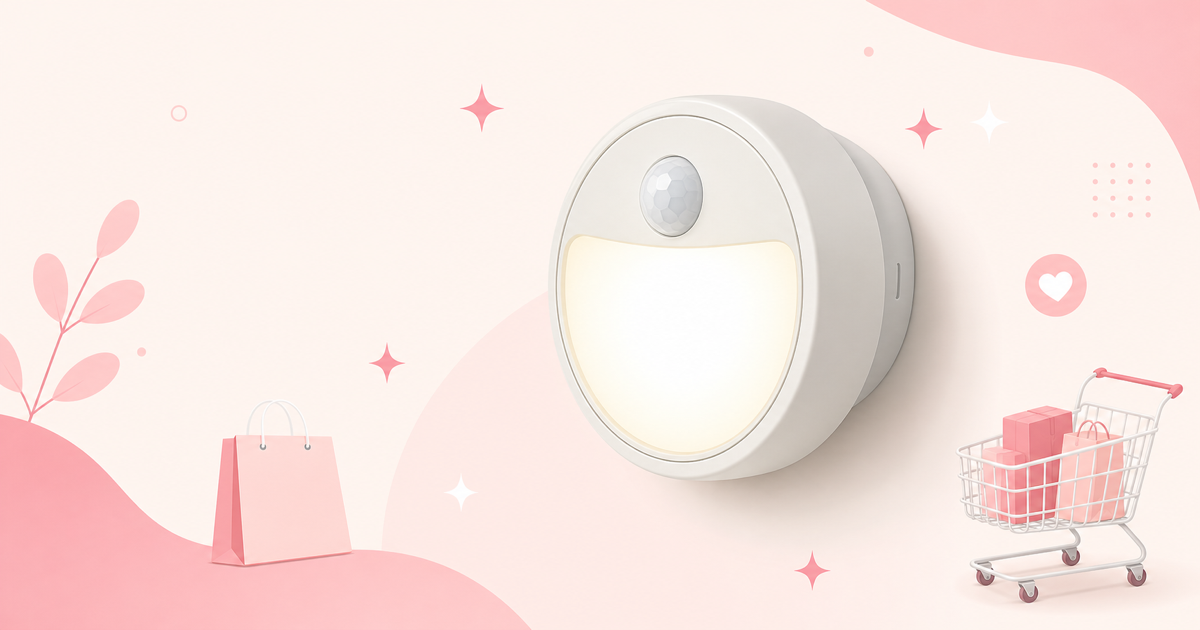

A dark entryway where you can't see the keyhole, an uneasy feeling when someone's near the parking lot, not wanting to flip on a glaring light every time you head to the bathroom at night — the motivation to look into sensor lights usually starts with these small, everyday frustrations piling up. But once you actually start searching, you run into a mess of plug-in, battery-powered, and solar models, lumen ratings mixed in with IP ratings, and even smart-enabled models, making it hard to tell which one actually fits your installation spot.
The ways people go wrong when choosing a sensor light are actually pretty limited. "Installed it outdoors, but the waterproof rating wasn't enough and it broke within six months." "Went for maximum brightness and ended up with light spilling into the neighbor's yard and a complaint." "Put a battery-powered model outdoors and the batteries died within a month." That covers nearly all the failure cases — and every one of them is avoidable if you read the spec sheet numbers correctly before buying.
This article first breaks down the five criteria you should evaluate when choosing a sensor light, explaining exactly which numbers to look at and how to interpret them. From there, we compare seven leading products by power source, installation environment, and smart connectivity, and give recommendations by reader type — beginners, budget-conscious buyers, and serious enthusiasts. By the end, you should know exactly which type to choose for which spot in your home.
How to Choose a Sensor Light: 5 Criteria for Avoiding Mistakes
1. Work backward from your installation spot to pick a power source
The power source is the single biggest factor in how satisfied you'll be with a sensor light. There are three options, and each has a clear sweet spot.
- Plug-in (AC power): Delivers consistently reliable brightness with no battery swaps or sunlight dependency. For outdoor use, you'll need a weatherproof outlet or a wiring path from indoors. Best for entry porches, side doors, and indoor hallways.
- Battery-powered: No installation work required — just attach with double-sided tape or a magnet. The catch is that every activation drains the battery, so it's not ideal for high-traffic spots or constant outdoor standby. This type shines for "a few short activations a day" spots like closets, stairwells, bathrooms, and shoe cabinets.
- Solar-powered: The only realistic option for yards, garages, and walkways with no power source nearby. But output is directly tied to sunlight exposure. Keep in mind that panels facing north, tucked under eaves, or shaded by trees will see dramatically shorter runtimes in winter.
For permanent outdoor installations that require wiring, you may need a licensed electrician. Renters should first confirm whether the setup is installation-free and fully reversible.
2. Judge brightness by lumens, not watts
LED brightness is measured in lumens (lm), not watts (W) — watts just measure power consumption. Two 5W LEDs can differ significantly in brightness depending on efficiency, so lumens are always the number to compare. Here's a rough guide:
| Use case | Recommended brightness |
|---|---|
| Closets, shoe cabinets, footlights | 50–200 lm |
| Indoor hallways, stairs, bathrooms | 200–500 lm |
| Entry porches, side doors | 400–800 lm |
| Parking lots, large yards, security | 800–2000 lm or more |
Keep in mind that brighter isn't always better. In densely populated neighborhoods, a wide-beam model over 1000 lm aimed toward the street can create light pollution for passersby and neighbors. For outdoor units, check not just brightness but also whether the beam angle can be adjusted downward and whether the fixture swivels. Color temperature matters too — cool white (around 5000K) offers better visibility for security purposes, while warm white (around 2700K) suits a welcoming entryway feel.
3. Detection method, range, and hold time
Most sensor lights use a passive infrared (PIR) sensor, which detects changes in infrared radiation given off by a human body. That leads to two practical takeaways:
- Lateral movement is easier to detect than movement heading straight toward the sensor. If installing along a walkway leading directly to your front door, angling the sensor slightly off-center rather than pointing it straight ahead gives more reliable response.
- Detection sensitivity tends to drop in summer, since a smaller temperature differential between body heat and ambient air makes changes harder to register.
The three spec numbers to check are detection distance (e.g., 5m), detection angle (e.g., 120°), and hold time. Detection distance is a theoretical figure — actual performance depends on mounting height (typically 2–2.5m) and how the subject moves. Models offering a choice of hold times — 10 seconds, 30 seconds, 1 minute, 3 minutes — are convenient. Outdoors, too short a hold time means the light cuts off mid-task, while too long drains batteries or solar charge unnecessarily.
Also check for a built-in light sensor (photocell). Without one, the light will trigger during daytime too, wasting battery or solar charge needlessly.
4. Always check the IP rating for outdoor installations
Water and dust resistance are indicated by an IP code. For "IP44," the first digit (4) covers dust protection and the second (4) covers water protection.
- IP44: Withstands splashing water from any direction. Suitable for eaves and porches where direct rain rarely hits.
- IP54–IP55: Protects against dust ingress and withstands water jets. Reassuring for wall-mounted units or spots exposed to near-direct rain.
- IP65 and above: Fully dust-tight and rated for water jets. Suitable for exposed yards and parking lots with no overhead cover.
Don't just trust labels like "weather-resistant" or "outdoor-rated" — always verify the actual numbers. Mounting an indoor-only model under an eave and having it corrode internally within months is one of the most common failure patterns for sensor lights.
5. Smart connectivity is only worth it if you need it
Wi-Fi or Zigbee-connected smart models let you set lighting schedules from your phone, check status remotely, use voice assistant integration, and link with other smart devices (like triggering camera recording on motion detection). On the flip side, they come with added setup costs — a Wi-Fi connection is mandatory, initial setup takes more effort, and some products require a separate hub.
If you just want to brighten your entryway, smart features aren't necessary. But for anyone already running smart speakers or smart cameras and looking to automate their whole home, this category offers real value.
Spec Comparison Table
| Product | Power Source | Typical Placement | Outdoor Rating | Smart Connectivity |
|---|---|---|---|---|
| Panasonic LED Sensor Light Outdoor | Plug-in (AC) | Entryway, parking lot | Weather-resistant | None |
| Iris Ohyama Motion Sensor Light Battery-Powered | Battery | Indoor (hallway, closet) | Not rated | None |
| TP-Link Tapo Smart LED Light with Sensor | Plug-in/USB | Mainly indoor | Varies by model | Yes (Wi-Fi) |
| ELPA Outdoor Sensor Light Solar-Powered | Solar + built-in battery | Yard, garage | Weather-resistant | None |
| Ohm Electric LED Sensor Light Plug-In | Plug-in (AC) | Indoor, under eaves | Varies by model | None |
| Toshiba LED Sensor Light Wall-Mounted | Plug-in/hardwired | Entryway wall, hallway wall | Varies by model | None |
| Philips Hue Smart Sensor Light Kit | AC + battery-powered sensor | Indoor, outdoor (compatible units) | Some models rated | Yes (Zigbee/hub) |
*Specs vary by model number and generation. Check the product page for the latest specifications before purchasing.
7 Recommended Sensor Lights
Panasonic LED Sensor Light Outdoor
A standard-bearer from a major domestic manufacturer, combining a weather-resistant build with high-brightness LEDs. Its detection range is designed to be wide, covering everything from the front entrance to the parking lot with a single unit. Many models let you fine-tune hold time and sensitivity, so you can dial in fewer false triggers after installation.
Pros
- Weather-resistant design built for permanent outdoor use under eaves or on walls
- Adjustable sensitivity and hold time make it easy to optimize for your environment
- As a domestic brand, replacement parts, support, and installation info are easy to find
Cons
- Priced toward the higher end compared to similar overseas or unbranded models
- Requires AC power, so it can't be installed where there's no outlet
Best for: Anyone wanting a single reliable security light for their entryway or parking lot, and willing to pay a bit more to prioritize durability and support.🛒 Check the price →
Iris Ohyama Motion Sensor Light Battery-Powered
A battery-powered indoor model that needs no installation or wiring — just mount it with double-sided tape or a magnet. It's optimized for lighting up small spots where you don't want to run a cord: closets, entryway shoe racks, hallways, bathrooms. It typically includes a light sensor that only triggers the light when it's dark.
Pros
- Fully reversible installation method, even for renters — an extremely low barrier to entry
- Affordable enough to place several units wherever you need them
- No visible wiring, so it keeps things looking tidy
Cons
- Battery drains faster in high-traffic spots, meaning more frequent replacements
- Not suited for outdoor or wet locations
Best for: Renters who can't do installation work, or anyone who wants to try one unit first to see the effect. Especially well-suited if you plan to use several as supplemental indoor lighting.🛒 Check the price →
TP-Link Tapo Smart LED Light with Sensor
A Wi-Fi-connected smart model that lets you set lighting schedules, brightness, and trigger conditions from the dedicated Tapo app. It supports voice integration with Amazon Alexa and Google Home, and can be combined with other devices in the same lineup — like smart cameras and plugs — to build automation scenarios. Many models work without a hub, making it an approachable entry point into smart home setups.
Pros
- Remote status checks and control let you keep an eye on things while traveling
- Fine-grained scheduling and trigger conditions adapt to your daily routine
- Easy to expand automation by pairing with other devices in the same ecosystem
Cons
- Requires a Wi-Fi connection and some initial setup effort
- App control can be unreliable in areas with unstable connectivity
Best for: Anyone already using a smart speaker who wants to bring lighting into a broader home automation setup, or who wants fine-grained app-based control.🛒 Check the price →
ELPA Outdoor Sensor Light Solar-Powered
A solar-powered model that charges via solar panel during the day and lights up on motion detection at night. Since it requires no wiring at all, it can be installed anywhere without an outlet — yards, beside garages, walkways, near sheds. With no electricity cost and no need for outlet installation work, it's a highly cost-effective option for lighting dark outdoor spots.
Pros
- No electrical work required, giving you far more freedom in placement
- No running costs, and essentially no battery replacement hassle
- Weather-resistant design built for permanent outdoor use in yards and garages
Cons
- Performance is tied to sunlight conditions — extended cloudy stretches or winter shorten runtime
- The built-in battery is a consumable that degrades in performance over the years
Best for: Anyone wanting to light up a yard or garage with no accessible power source. It performs best when the panel can be mounted somewhere south-facing with good sun exposure.🛒 Check the price →
Ohm Electric LED Sensor Light Plug-In
A simple AC-powered model you just plug in and use. Stripped of extra features, it focuses on sufficient brightness and motion detection, making it an easy way to try a sensor light at an entry-level price. It works well as a footlight near the entrance, a substitute for a hallway night light, or supplemental lighting on stairs.
Pros
- Virtually zero setup — start using it the day it arrives
- No worrying about dead batteries, so brightness stays consistent
- Entry-level pricing makes it easy to install in multiple spots
Cons
- Placement is entirely constrained by outlet location
- Sensitivity and hold-time adjustment range is often more limited than higher-end models
Best for: Anyone wanting to try out a sensor light on a budget first, or who wants to brighten an indoor spot near an existing outlet.🛒 Check the price →
Toshiba LED Sensor Light Wall-Mounted
A fixed, wall-mounted model with a design that blends naturally into home lighting. Wall mounting makes it easier to keep installation height stable at around 2m, which structurally helps design a predictable detection range. It suits anyone wanting to build in permanent lighting beside an entryway or along a hallway wall.
Pros
- Fixed placement keeps the position stable, so detection range stays consistent
- Understated design that blends with a home's exterior and interior
- Peace of mind from a domestic manufacturer for long-term use
Cons
- Installation requires screws and wiring, making it a poor fit for rentals
- Once mounted, repositioning isn't easy
Best for: Homeowners who want to permanently build lighting into their entryway or hallway — treating it as part of the house's fixtures rather than a temporary fix.🛒 Check the price →
Philips Hue Smart Sensor Light Kit
A set pairing a motion sensor with lighting from Hue, a flagship name in smart lighting. When the sensor detects a person, it triggers the light at a specified brightness and color temperature, and you can even set up conditional behavior that changes by time of day. Its biggest strength is the ability to build detailed scenarios — for example, "no light during the day / 50% warm white after 9pm / minimum brightness late at night."
Pros
- Outstanding configurability, including brightness and color temperature control by time of day
- Integrates with the whole Hue ecosystem for unified control of lighting throughout the house
- High expressive range in color temperature and dimming, adaptable to different living scenes
Cons
- Priced at the premium end, meaning a larger upfront investment
- Getting full functionality requires building out an environment that includes a bridge (hub)
Best for: Serious enthusiasts who want to fully design their lighting environment — ideal if you already use Hue products or plan to build out a full smart home setup.
Choosing by Use Case
Want the easiest possible starting point
View on Amazon → is the fastest route. No installation work, fully reversible, and low risk if it doesn't work out. Solving even one or two dark indoor spots noticeably changes how you move around the house at night.
Want to brighten indoor spaces on a budget
If there's an outlet nearby, View on Amazon → is a strong choice. No battery swaps needed, and its entry-level price makes it easy to install in several spots.
Want to seriously boost outdoor security
View on Amazon → is the top pick. With both weather resistance and adjustability, it reliably covers entryways and parking lots — common entry points for intruders.
Have an outdoor spot with no power source
View on Amazon → is close to the only real choice. Just confirm beforehand that the installation spot gets enough sunlight.
Want to build it in as a permanent home fixture (homeowners)
A fixed, wall-mounted type like View on Amazon → suits this best. A stable position also makes detection performance more predictable.
Want to build out a smart home
For an entry point, go with View on Amazon →; for a fully built-out setup, go with View on Amazon →. Think of it as: the former for ease of setup, the latter for control flexibility.
FAQ
Q. Is a sensor light actually effective as a security measure?
A light that suddenly turns on when someone approaches at night puts psychological pressure on an intruder by signaling "you're being watched," so it's considered one effective deterrent. That said, a sensor light alone can't fully prevent break-ins. The basic approach is combining it with other measures — security cameras, auxiliary locks, gravel walkways — to make intrusion more time-consuming and difficult. It's generally a good idea to start by installing at blind spots like side doors, the back of the house, and parking areas.
Q. Can I stop it from triggering on cats or passing cars?
You can't eliminate it entirely, but you can reduce it significantly. Three things help: (1) avoid angling the sensor too low so ground-level movement stays out of the detection range, (2) lower the sensitivity on models with adjustable settings, and (3) adjust the swivel angle so the road or neighboring property falls outside the detection range. After installation, it helps to walk through the area once to test the response and fine-tune the angle — this stabilizes accuracy.
Q. How long do LEDs last, and can the bulb be replaced?
LEDs generally have a rated lifespan of around 40,000 hours, which is plenty for practical use given the short, intermittent activations typical of sensor lights. However, most sensor lights use integrated, non-replaceable LEDs — so once it reaches end of life, you replace the whole unit. In practice, the sensor components, gaskets, and (for solar models) the built-in battery tend to degrade first, and for outdoor units these are usually what actually determines effective lifespan.
Q. Which is better outdoors, battery-powered or solar?
For constant outdoor standby, solar is generally the better fit. Battery-powered units drain power both from standby current and every activation, and in high-traffic outdoor spots, replacement frequency becomes impractical. That said, solar has its own requirement — the panel needs several hours of direct sunlight a day. If your only option is a shaded spot, it's more reliable to go with a plug-in model paired with a weatherproof outlet instead of forcing a solar setup.
Q. How do I choose the right brightness without making a mistake?
Working backward from the use case is the most reliable approach. For footlighting, aim for 100–200 lm; for an entry porch, 400–800 lm; for a parking lot or large yard used for security, 800 lm or more. In densely populated areas, going too bright can create light pollution for neighbors, so check not just the brightness number but whether the beam direction can be adjusted downward. If you're unsure, choosing a model with dimming or a swivel mechanism lets you adjust later.
Summary
You can narrow down your sensor light choice without mistakes by following this order:
To sum up by reader type: for the easiest start, go with View on Amazon →; for budget-friendly indoor use, View on Amazon →; for the top outdoor security pick, View on Amazon →; for outdoor spots with no power, View on Amazon →; for permanent installation in a home you own, View on Amazon →; for an entry point into smart home tech, View on Amazon →; and for building it all out, View on Amazon →.
Start by picking just one spot — the darkest, most inconvenient one — and installing the right light there. Once you feel the difference in how you move around the house at night, you can expand from there wherever you need it.


![Air Purifier Reviews & Ratings [2026 Update]: An In-Depth Comparison](/images/eyecatch/articles/air-purifier-review-2026.png)
![[2026 Latest] Security Camera Reviews & Ratings Roundup | In-Depth Comparison](/images/eyecatch/articles/security-camera-reviews-2026.png)
![[2026 Latest] LED Ceiling Lights Compared: The Complete Guide from Buying Tips to Top Models](/images/eyecatch/articles/led-ceiling-light-comparison-2026.png)
![[2026 Latest] Webcam Reviews & Ratings Roundup | In-Depth Comparison](/images/eyecatch/articles/webcam-review-comparison-2026.png)